A new Visual Schedule Editor, a smarter stream player, richer station data, and dozens of improvements for broadcasters of every size.
We’re thrilled to announce the latest major releases of Radio Station (2.7.1) and Radio Station PRO (2.8.0) — two of the most feature-rich updates we’ve shipped since the plugin’s inception. Our lead developer Tony Hayes has been heads-down building improvements that touch nearly every part of the plugin, from the broadcast schedule to the stream player to the WordPress admin experience.
Whether you run a community station, an internet radio network, or a single-show podcast stream, there’s something in this release for you.
⚠️ UPDATE ADVISORY
Both Radio Station free (2.7.1) and Radio Station PRO (2.8.0) contain significant bug fixes, improvements, and updates. We strongly recommend updating both plugins together with this release.
While every effort has been made to avoid introducing new issues, this is a major update — please test in a staging environment before deploying to production. If you encounter any issues, please open a GitHub issue or contact Pro support.
FREEMIUS LICENSE FIX (PRO)
Some users reported license activation issues that prevented the latest Pro updates from appearing in their WordPress dashboard. This has now been fixed. However, if you are not seeing the Pro update as available on your Plugins page, log in to Freemius to download the Pro update manually, install it, then click “Add License” next to the Pro plugin on your site’s plugins page and re-enter your license key. We apologize for the inconvenience.
VISUAL SCHEDULE EDITOR (PRO)
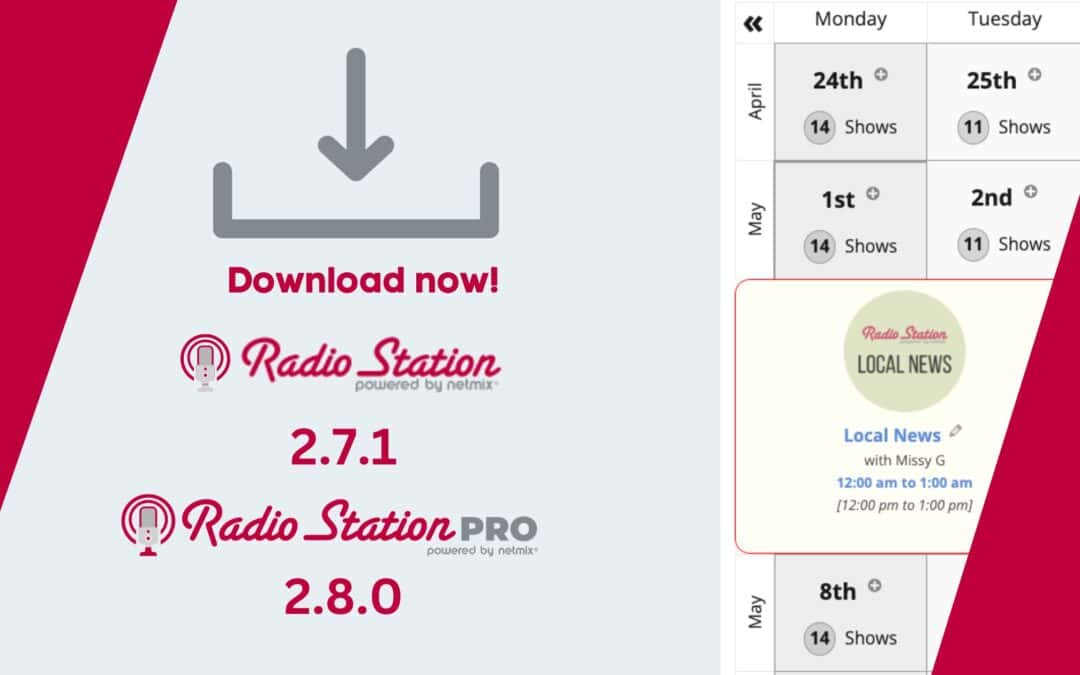
The headline feature of Radio Station PRO 2.8.0 is the standalone Visual Schedule Editor — a dedicated admin page that gives you a complete bird’s-eye view of your broadcast schedule across four display modes: Table, Tabs, Grid, and Calendar.
Instead of editing show shifts one at a time from individual show edit screens, you can now see your full programming week at a glance and add shifts directly from the schedule. Click any time slot to add a Show Shift, Schedule Override, or Recurring Override without ever leaving the editor.
Recurring overrides — periodic schedule exceptions by monthly day or weekly interval — have also been fully integrated into the Visual Schedule Editor for the first time, making it much easier to manage complex repeating schedule items in one place.
STREAM PLAYER IMPROVEMENTS (FREE + PRO)
Stream Player by netmix® in both the free and Pro versions has been reviewed, refactored, and optimized for a better playback experience overall.
Synced Player States
Special attention has been paid to syncing matching player states across browser windows. Volume and mute states are now globally synced, and Now Playing metadata — including current show and track information — stays consistent across all player instances. Whether your listeners are using the persistent player bar, the popup player window, or both, they’ll now have a far more reliable and consistent experience.
New Button Styles
We’ve added two new Play/Pause button styles: Solid and Solid with Transparent Outline — joining the existing hollow shape buttons. Matching solid Volume Control icons have also been added. These are available across all color options (Light and Dark in Free, all color hues in Pro), giving you more flexibility to match the player design to your site’s look and feel.
StreamGuys and ZenoFM Metadata (Pro)
Radio Station PRO by netmix® now supports metadata endpoints for StreamGuys and ZenoFM, allowing stations on these platforms to display live Now Playing track information in the player bar.
Autoplay via Querystring (Pro)
Append a querystring parameter to any page URL to trigger the player’s autoplay dialog automatically. This is especially useful for email campaigns, social media links, and promotional landing pages where you want to encourage immediate listening when a visitor arrives.
Expander Player Bar — New Responsive Mode (Pro)
The original responsive player bar used left and right arrows to access Station and Show information when screen width was limited. Based on user feedback requesting a vertical expansion option to access all player features together, we’ve created exactly that — now available as “Responsive Mode” in your Player Bar settings. As this is a new feature, please test it and let us know your feedback.
NEW CONTENT OVERVIEW DASHBOARD (FREE + PRO)
To help broadcasters see the current state of their station’s schedule and content data at a glance, we’ve added a new Radio Station content overview — available both as a standalone admin page and as a WordPress Dashboard widget.
The dashboard shows itemized statistics and progress indicators for your Schedule, Content, and key Settings, with links directly to relevant filtered views and settings that need attention. Adding more complete content improves your visitor experience and plays a significant role in SEO.
We highly recommend taking the time to review the new overview and reaching out to your hosts to fill in any missing information — especially Show Descriptions and Genres, which help listeners discover the shows they’re looking for.
STATION AND SHOW META FIELDS (FREE + PRO)
Along with the existing station title and image fields, we’ve added new metadata fields for your Station Tagline, Callsign, Frequency and Band, and Station Location. A new option lets you choose which combination of station meta fields to display in the player by default.
In Pro, there is also a new option for Show meta display that includes Hosts and Show Shift times alongside the existing Show title and image options.
IMPROVED SHIFT EDIT HIGHLIGHTING (FREE + PRO)
When editing Show Shifts, Special Overrides, and Recurring Overrides, input fields are now highlighted when they are either incomplete or have been changed. The entire shift row also changes color when you modify a field, giving you a clear visual indication of what has been edited before you save. The alert that fires when you attempt to leave the page with unsaved changes has also been fixed.
NEW ADMIN (VERTICAL) NAVIGATION (FREE + PRO)
The single Radio Station admin menu was getting crowded. It has now been split into two items: Station Content and Radio Station. This makes it easier to add new content to your station while keeping Settings and Account information accessible and organized.
For Pro users, the Visual Schedule Editor is also now accessible via the Station Content menu — not just above the Show and Override lists.
LINKED SHOW SELECTION — ALPHABETICAL ORDERING (FREE)
We heard your feedback that finding the correct Show when linking a Blog Post or Special Override was difficult due to a fairly random display order. These lists are now ordered alphabetically and by day, making it much easier to find the Show you’re looking for.
HOST PERMISSIONS FOR SPECIAL OVERRIDES (FREE)
DJs and Hosts can now create new Special Overrides themselves — for example, a Guest Mix that overrides the Show information and display for a specific date — rather than only being able to edit existing Specials they’ve been assigned to. Role permission checks have been updated to support this workflow directly.
SPECIAL OVERRIDES IN DATA API (FREE)
Until now, overrides were only included automatically in the Schedule data feed. We’ve now added a dedicated data endpoint so that all upcoming Specials and their data can be discovered and retrieved separately via the WordPress REST API, consistent with all other Radio Station by netmix® data types.
TELEPORTER UPDATES (PRO)
Teleporter is the underlying layer that powers page transitions for the persistent player bar. Several significant improvements have been made in this release:
– CORS Refactor: Some browsers are becoming stricter with cross-window data functions. Teleporter now calls page changes in the parent window, making transitions more reliable across modern browsers.
– Back/Forward History Fix: The browser’s forward button was not usable after the first backward navigation. This has been fixed.
– External Link Handling: Offsite links are now automatically opened in a new window, avoiding problems with cross-domain iframe loading.
– Link Head Prefetch: This new feature alerts users to not-found pages (404) before navigation occurs, prompting them to cancel if needed.
BUG FIXES (FREE + PRO)
Beyond many smaller fixes along the way, here are the more significant ones:
– Fixed: Amplitude player script not always resuming after pause (empty source error)
– Fixed: Delayed string translations to resolve WordPress “Deprecated” text domain warnings
– Fixed: Fatal plugin conflict with the “Radio Player” plugin by another developer
– Fixed: Override Drafts without assigned dates now list correctly in Admin view
– Fixed: Block asset paths for related script and style files
– Fixed: Preview of recurring override dates before saving (Pro)
– Fixed: Plugin page activation link for Premium type users (Pro)
– Fixed: Admin option loading for delayed string translations (Pro)
PATCH RELEASES (PRO)
Following the 2.8.0 release, three patch updates were shipped:
2.8.1 — Fixed a metadata container reference bug and a debug output typo in the bar player
2.8.2 — Fixed per-instance player stylesheet loading
2.8.3 — Fixed metadata loading for stream URL variations, improving compatibility with a wider range of stream configurations
HOW TO UPDATE
Update directly from your WordPress admin:
1. Go to Dashboard → Updates
2. Find Radio Station and/or Radio Station PRO in the list
3. Click Update
If you don’t see the Pro update, check that your license key is active under Radio Station → Settings → License, or refer to the Freemius License Fix note above.
SPECIAL THANKS
Thanks to all of you for being part of the Radio Station by Netmix journey. In addition to our scheduling features, we believe we are now on track to having the most advanced and feature-rich stream player available for WordPress.
Shout outs to Tony Zeoli, Gus Austin, Michael Garett, and the team at KERA for their contributions. And of course to Tony Hayes for putting in the hard yards.
We hope you enjoy the newest iterations of Radio Station (free and PRO) by netmix®! If you are experiencing any issues, please open a GitHub issue or contact Pro support.
Stay tuned for more exciting announcements — we have some add-on plugins in the works.
GET THE LATEST VERSION OF RADIO STATION
Whether you’re running on our powerful free core plugin or looking to unlock advanced features with Radio Station PRO by netmix®, keeping your site updated ensures maximum stability, performance, and compatibility.
To mark this release, we’re offering an exclusive 40% discount on Radio Station PRO—applied to both your initial purchase and future renewals!
Upgrade to PRO (40% Off): Take your station to the next level with premium features, priority support, and locked-in savings on every renewal.
Get the Free Version: Download or update directly via the WordPress.org Plugin Directory or straight from your WordPress dashboard.